Growth Tools
Google Merchant Center Feed Rescue Kit
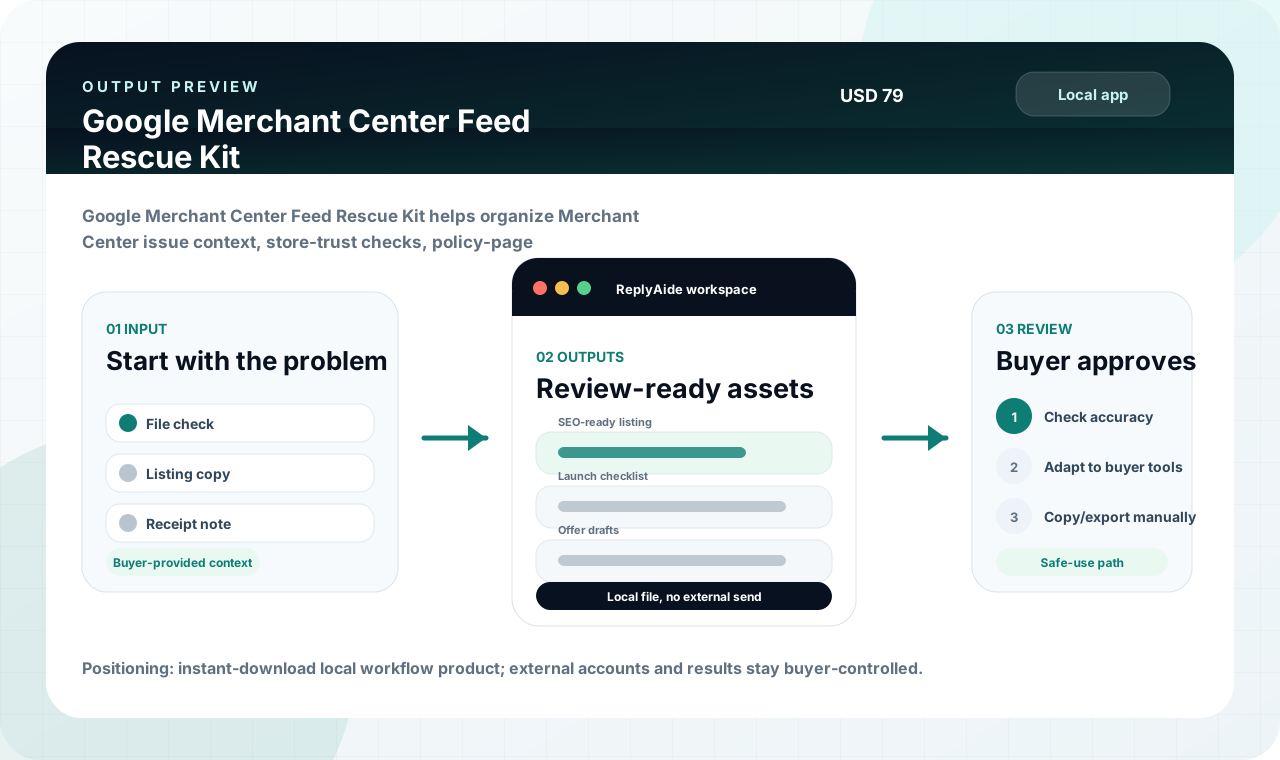
Google Merchant Center Feed Rescue Kit helps organize Merchant Center issue context, store-trust checks, policy-page evidence, checkout consistency, and owner review packets.
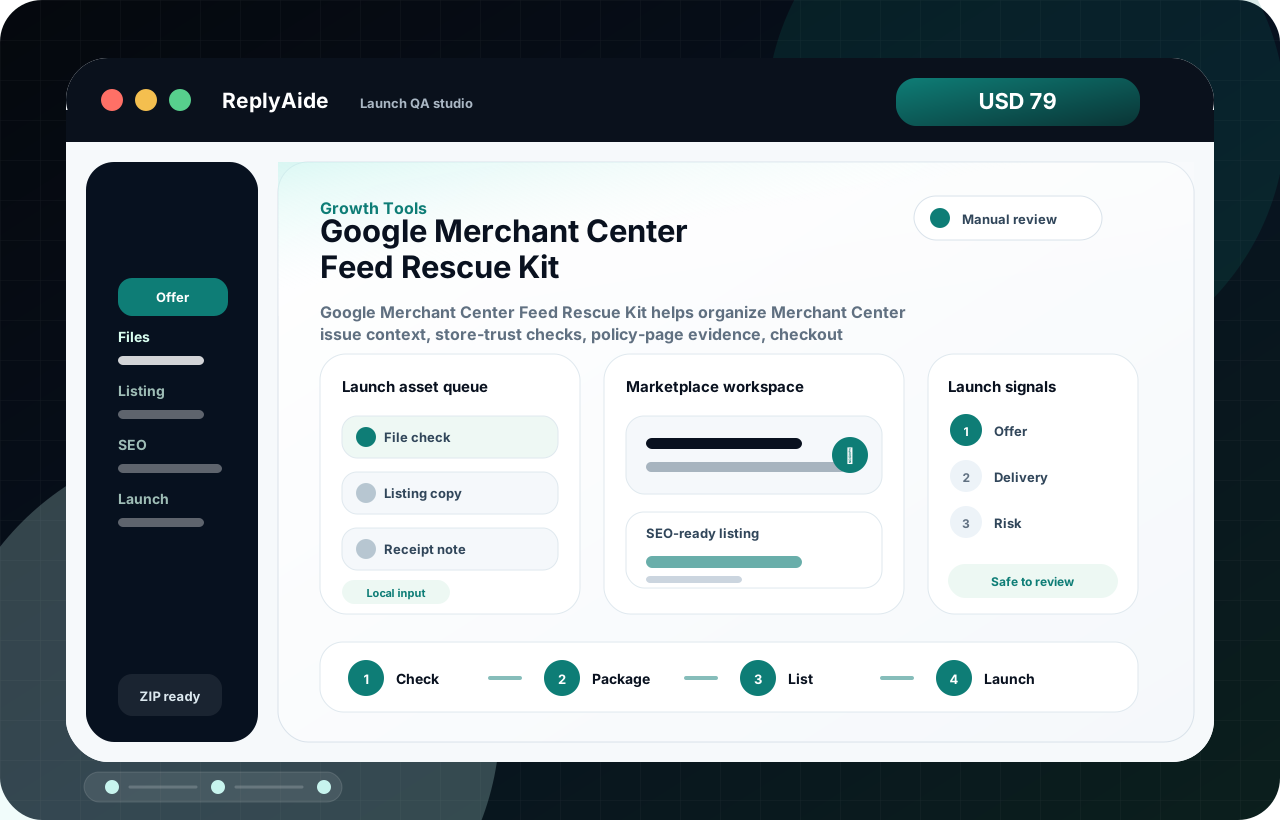 Preview product screenLaunch QA studio · local workflow console
USD 79One-time purchase price
LocalRuns as a browser-based download workflow
AvailableSecure checkout is available; manual review still required
Best forDigital sellers improving offers, launch assets, and delivery clarity.
Opens asLaunch QA studio inside a branded local ReplyAide app.
ProducesOffer briefs, listing copy, launch queues, and delivery QA assets.
Google Merchant Center Feed Rescue KitZIP
A
Open the ReplyAide local app
StartDownload, unzip, and open the branded local workflow screen in a browser.
B
Use the workflow assets
BuildWork with templates, tracker fields, setup notes, and QA checklists.
C
Export or copy safely
ReviewFinal copy and operational steps are reviewed by the buyer before use.
Growth workflow decision
Google Merchant Center Feed Rescue Kit: decide by offer clarity, launch readiness, and delivery confidence.
Digital product sellers, founders, and marketers who need sharper offers, listing assets, launch notes, and campaign structure.
Buy, download, unzip, and start the first workflow session without waiting for a hosted account.
Buyer fit
Google Merchant Center Feed Rescue Kit is built for a specific workflow problem.
Use this section to confirm the problem this product is meant to solve, read the related free guide, and compare nearby tools only when the same workflow repeats.
01
google merchant center feed rescue kitWhat should I check in a google merchant center feed rescue kit before sending traffic or buyers to checkout?
Main problem
02
Use it before publishing a product page, marketplace listing, lead magnet, case study, or promotion sequence.Offer drafts, SEO/listing briefs, launch checklists, content calendars, testimonial prompts, and QA notes.
Buyer fit
03
google merchant center shopify checklist · merchant center misrepresentation checklist · digital product delivery checklist · marketplace listing seo templateRelated use cases stay close to what this product actually includes.
Use cases
google merchant center feed not fetching shopify
Google Merchant Center Feed Not Fetching on Shopify Checklist
A Shopify Google Merchant Center feed-not-fetching checklist for product data sources, duplicate feeds, item IDs, app sync state, and review timing.
Read the guidegoogle merchant center misrepresentation appeal checklist
Google Merchant Center Misrepresentation Appeal Checklist
A Merchant Center misrepresentation appeal checklist for evidence logs, Shopify store-trust fixes, policy visibility, feed consistency, and review timing.
Read the guidegoogle merchant center misrepresentation shopify
Google Merchant Center Misrepresentation Shopify Store Trust Checklist
A Shopify-focused Google Merchant Center misrepresentation checklist for business identity, contact details, policy pages, checkout consistency, claims, and review-prep evidence.
Read the guideHelpful next steps
Keep comparing without starting over.
If this product is close but not exact, use the related guide and adjacent products below to find the better fit before checkout.
- Primary product page: Google Merchant Center Feed Rescue Kit.
- Main problem: google merchant center feed rescue kit.
- Supporting guide: Google Merchant Center Feed Not Fetching on Shopify Checklist.
- Supporting guide: Google Merchant Center Misrepresentation Appeal Checklist.
- Adjacent product: Google Merchant Center Misrepresentation / Store Trust Rescue Kit.
- Adjacent product: Google Merchant Center Website Needs Improvement Rescue Kit.
Free GMC / Shopify diagnostic
Start with the free trust-readiness check when the issue is unclear.
The free ZIP helps identify visible store-trust, policy, checkout, product-page, and next-step gaps before you choose a paid Rescue Kit. It is independent from Google and Shopify and does not promise approval, reinstatement, recovery, or sales outcomes.
- Use the free check for first-pass diagnosis and owner notes.
- Use the paid Store Trust kit when the work needs a deeper store-trust review workflow.
- Use the paid Feed kit when submitted product data, feed state, or source fields are the main issue.
Actual use preview
The page now shows the workflow, not just a product name.
See the first working session before checkout: what opens, what the buyer fills in, and what gets reviewed before any outside action.
- 01Open a branded local consoleThe buyer opens a ReplyAide workflow screen from the downloaded product folder.
- 02Work through a guided deskOffer drafts, SEO/listing briefs, launch checklists, content calendars, testimonial prompts, and QA notes.
- 03Keep the safe-use boundary clearIt does not guarantee rankings, conversions, approvals, traffic, testimonials, or sales.
ReplyAide · Launch QA studio
Local ZIP preview
Launch asset queue
Start with the repeated workflow inputs that slow the buyer down.
File checkCurrent itemOpen
Listing copyPrepared fieldReady
Receipt notePrepared fieldReady
Marketplace workspace
Google Merchant Center Feed Rescue Kit helps organize Merchant Center issue context, store-trust checks, policy-page evidence, checkout consistency, and owner review packets.
Review, export, and use manually
The buyer stays in control. ReplyAide structures the workflow, but external sending, posting, importing, and account actions remain manual.
SEO-ready listingStructured working draft for human review.
Launch checklistRows, notes, or setup fields the buyer can copy.
Offer · Delivery · RiskQA labels that keep the workflow clear.
First-session flow
1. CheckOpen locally.
2. PackageLoad the assets.
3. ListBuild the draft.
4. LaunchReview before use.
First 10-minute product session
Product preview
ReplyAide / Launch QA studio
Manual review
Marketplace workspace
Google Merchant Center Feed Rescue Kit helps organize Merchant Center issue context, store-trust checks, policy-page evidence, checkout consistency, and owner review packets.
SEO-ready listing
Review
Launch checklist
Copy
Purchase clarity
Understand the workflow before checkout.
The storyboard shows the first session, the inputs, the output, and the review boundary in one clean path.
01
Open the local console
The buyer opens the branded ReplyAide Launch QA studio from the downloaded product folder.
02
Fill the guided fields
File check, Listing copy, and Receipt note become the working inputs.
03
Build review-ready assets
Offer drafts, SEO/listing briefs, launch checklists, content calendars, testimonial prompts, and QA notes.
04
Approve before use
It does not guarantee rankings, conversions, approvals, traffic, testimonials, or sales.
Buyer's quick decision
Fast clarity before the product asks for payment.
This section turns the product page into a purchase checkpoint: who should use it, what opens first, what comes out, and which expectations are intentionally outside the offer.
Good fit
Google Merchant Center Feed Rescue Kit is for a repeated workflow, not a vague automation wish.
Digital product sellers, founders, and marketers who need sharper offers, listing assets, launch notes, and campaign structure.
- Use it when use it before publishing a product page, marketplace listing, lead magnet, case study, or promotion sequence.
- Best for buyers who can open a local browser file and review outputs manually.
- Purchase availability stays clear after delivery has been verified.
What opens
Launch QA studio
The buyer opens a branded local ReplyAide console from the downloaded product folder.
Inputs
Launch asset queue
File check, Listing copy, Receipt note are organized into a guided workflow.
Outputs
SEO-ready listing
Offer drafts, SEO/listing briefs, launch checklists, content calendars, testimonial prompts, and QA notes.
Not included
No automatic external actions
It does not guarantee rankings, conversions, approvals, traffic, testimonials, or sales. External sending, posting, account setup, and final decisions stay with the buyer.
Workflow stack
Build a focused stack instead of buying random tools.
This route keeps the purchase decision disciplined: start with the current product, then inspect adjacent tools only if the same operational problem repeats.
Start here
Google Merchant Center Feed Rescue Kit
Growth Tools · USD 79 · Google Merchant Center Feed Rescue Kit helps organize Merchant Center issue context, store-trust checks, policy-page evidence, checkout consistency, and owner review packets.
01
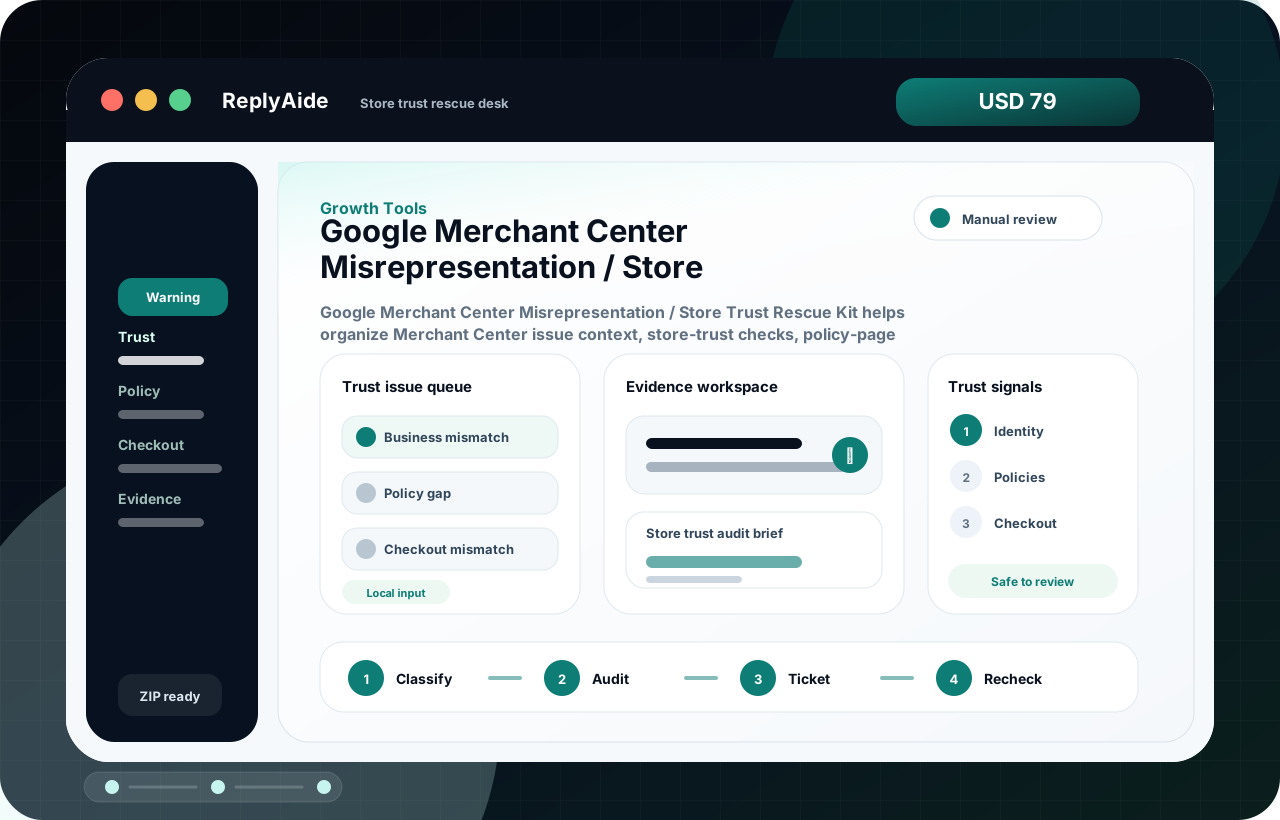 Add next
Google Merchant Center Misrepresentation / Store Trust Rescue Kit
Growth Tools · USD 79 · Google Merchant Center Misrepresentation / Store Trust Rescue Kit helps organize Merchant Center issue context, store-trust checks, policy-page evidence, checkout consistency, and owner review packets.
02
Add next
Google Merchant Center Misrepresentation / Store Trust Rescue Kit
Growth Tools · USD 79 · Google Merchant Center Misrepresentation / Store Trust Rescue Kit helps organize Merchant Center issue context, store-trust checks, policy-page evidence, checkout consistency, and owner review packets.
02
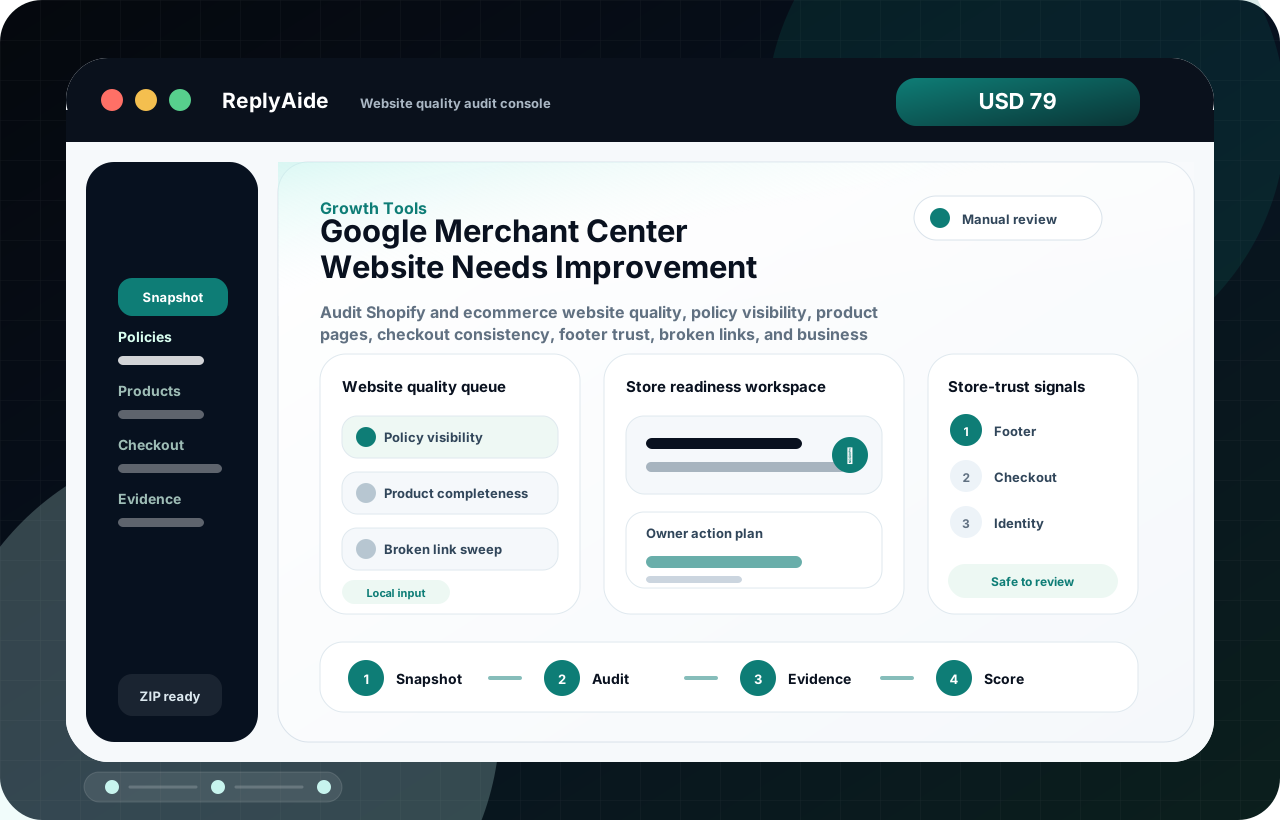 Expand when ready
Google Merchant Center Website Needs Improvement Rescue Kit
Growth Tools · USD 79 · Audit Shopify and ecommerce website quality, policy visibility, product pages, checkout consistency, footer trust, broken links, and business identity before Merchant Center-facing review work.
03
Expand when ready
Google Merchant Center Website Needs Improvement Rescue Kit
Growth Tools · USD 79 · Audit Shopify and ecommerce website quality, policy visibility, product pages, checkout consistency, footer trust, broken links, and business identity before Merchant Center-facing review work.
03
Interactive product preview
Click a sample input and watch the product logic change.
This is not a fake SaaS claim. It is a truth-safe product preview showing how the downloaded ReplyAide console turns workflow inputs into review-ready outputs.
ReplyAide · Launch QA studio
Demo mode
Selected sample
File check entered
The buyer starts with a real internal case and adds the context needed for Launch QA studio.
SEO-ready listing
Review the first draft before copying it into any external system.
Review checks
Manual review required before use.
Confirm context and buyer policy.
Edit before external use.
Confirm file delivery and support expectations before purchase.
Sample output shape
See the kind of working asset this product is built to produce.
This is a buyer-facing sample of the output structure, not a promise that every case will produce identical wording. It shows the practical shape of the deliverable before checkout.
Input fields
The local console starts from concrete workflow inputs rather than a blank prompt.
- File check
- Listing copy
- Receipt note
Draft or tracker output
SEO-ready listing
Offer drafts, SEO/listing briefs, launch checklists, content calendars, testimonial prompts, and QA notes.
Human review checklist
It does not guarantee rankings, conversions, approvals, traffic, testimonials, or sales.
- Check buyer context and policy fit.
- Edit tone, details, and next steps before use.
- Keep sending, posting, importing, and account actions manual.
Decision checkpoint
Buy only when the workflow fit is obvious.
This block is intentionally blunt. It helps qualified buyers move faster and keeps the product out of the hands of people expecting a hosted service, account automation, or promised business result.
Buy if
Digital sellers improving offers, launch assets, and delivery clarity.
The buyer wants a local ReplyAide workflow console, support files, setup notes, and manual-review outputs for a repeated operational problem.
Skip if
You expect automatic external account actions.
This is not an online account dashboard, CRM/SMS/email/review-platform automation, or done-for-you implementation service.
Ask custom
You need account-specific setup or a bespoke workflow.
Use the custom build page instead when the work requires private system configuration, integrations, or a scoped implementation plan.
Buyer walkthrough
Not just a file. The buyer sees the exact first-use path.
This visual walkthrough shows the purchase expectation in one image: download the ZIP, open the branded ReplyAide local app, then review and copy/export outputs manually. It is designed to answer the “what do I actually do with this?” question before checkout.
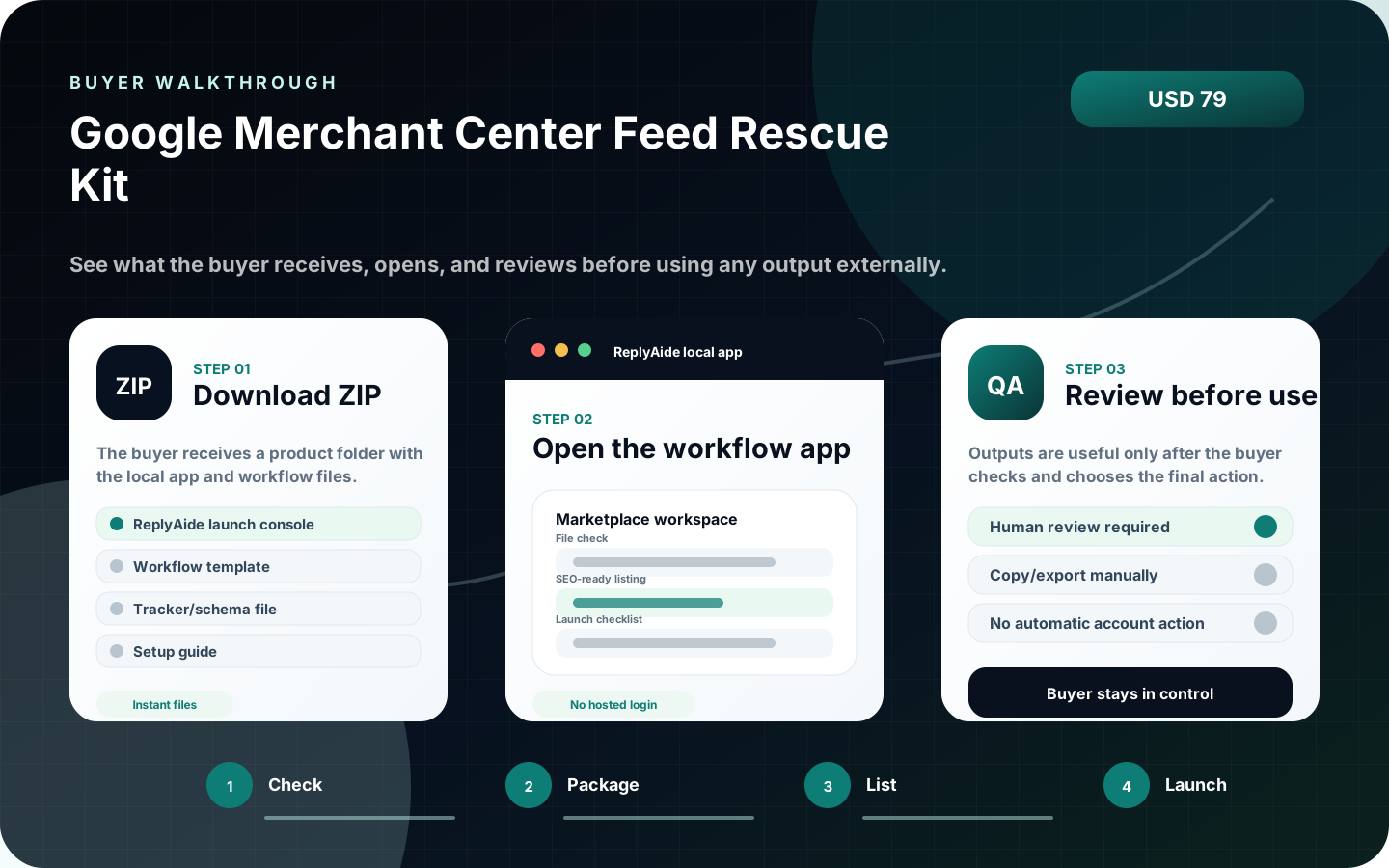
Visual proof
Three images explain the product before the buyer reads the fine print.
The product page now shows the buyer the app screen, first-use sequence, and output/review path. This keeps the offer concrete instead of relying on abstract copy.
Before purchase
Clear expectations before this product ever takes payment.
This product is an instant-download local workflow tool. The buyer receives files, opens the branded ReplyAide local app, reviews outputs manually, and uses their own external tools. Secure checkout is available for this product. Review the included files, setup notes, and support boundaries before buying.
- Instant deliverable: branded ReplyAide local app plus workflow files and setup notes.
- Not an online account dashboard, custom implementation service, or outcome-promise product.
- No automatic email, SMS, review, CRM, payment, store, calendar, or AI account action.
- Buyer must review all drafts, templates, tracker rows, and operational outputs before use.
Buyer decision
Use this when the workflow problem is specific.
Digital product sellers, founders, and marketers who need sharper offers, listing assets, launch notes, and campaign structure.
- When to use it: Use it before publishing a product page, marketplace listing, lead magnet, case study, or promotion sequence.
- What it helps produce: Offer drafts, SEO/listing briefs, launch checklists, content calendars, testimonial prompts, and QA notes.
- Boundary: It does not guarantee rankings, conversions, approvals, traffic, testimonials, or sales.
OpenLocal browser appBuyer opens the included app from the downloaded product folder.
UseTemplate and tracker assetsProduct files support the workflow with structured fields, notes, and checklists.
ReviewHuman approval requiredDrafts and tracker rows are checked before being used externally.
GateVerified Lemon checkoutSecure checkout is available for this product. Review the included files, setup notes, and support boundaries before buying.
Product experience
What the buyer opens after downloading Google Merchant Center Feed Rescue Kit.
This page now explains the product like a real software workflow: what opens first, what files support it, and how the buyer should use the output safely.
01
Local workflow appA browser-based command desk for this workflow, opened from the downloaded product folder.
02
Structured workflow filesTemplate JSON, CSV/schema files, setup notes, and operating checklists that match the product category.
03
Manual-review output pathDrafts and tracker rows are copied or exported only after the buyer reviews them.
 01
02
03
01
02
03
Google Merchant Center Feed Rescue Kit
Google Merchant Center Feed Rescue Kit helps organize Merchant Center issue context, store-trust checks, policy-page evidence, checkout consistency, and owner review packets.
Open local command deskReady
Load workflow templatesIncluded
Generate draft / tracker outputManual
Safe-use boundary
ReplyAide does not send messages, submit forms, connect private accounts, or claim business outcomes. The buyer controls every final action.
External account actionsNot included
Checkout file deliveryVerified
First session
How the buyer should use Google Merchant Center Feed Rescue Kit first.
The product is designed around a simple local workflow: open, load, organize, review. This keeps the offer useful while avoiding unsafe promises about automatic external actions.
01Unzip and openOpen the branded local browser app from the downloaded product folder.
02Load the workflowUse the included templates, fields, sample structure, or setup notes.
03Generate or organizeCreate draft copy, tracker rows, checklist items, or operating notes.
04Review before external useCheck everything before sending, posting, importing, or relying on the output.
What it does
Google Merchant Center Feed Rescue Kit is an instant-download local workflow kit for ecommerce sellers who need a clearer way to triage Google Merchant Center product data issues before changing a feed or asking for a review. It helps the buyer document the issue, compare feed values against product pages, check identifiers and image risk, assign ownership, and prepare a review-ready handoff note. This is not hosted software, not a Merchant Center integration, not a feed management service, and not an approval guarantee. It gives the buyer a structured operating desk, CSV schema, sample rows, checklists, and copy-ready notes so the team can work through item-level issues with fewer missed details.
Included immediately
- Local ReplyAide browser workflow app.
- Merchant Center issue intake and fix-packet generator.
- Google Sheet / CSV schema for feed issue tracking.
- 30-row sample issue dataset.
- 30-minute rescue flow with issue-specific buyer pain, first checks, Shopify source paths, owner tickets, and before/after notes.
- Attribute audit checklist for price, availability, title, description, link, image_link, GTIN, MPN, brand, shipping, and policy notes.
- Review packet template for owner approval.
- Shopify source-map guide for products, variants, app sync, structured data, checkout visibility, shipping, and tax handoffs.
- Before/after case library for common Merchant Center warning patterns.
- Buyer success guide, setup notes, troubleshooting, support boundaries, and anti-resale license.
Important boundaries
This product is not an online account dashboard and does not connect to Google Merchant Center, Shopify, ad accounts, analytics tools, checkout systems, or any buyer account. It does not submit feeds, request reviews, provide legal advice, provide tax-specific professional guidance, promise approval, promise ranking, promise impressions, promise clicks, or promise revenue. No platform, advertising, listing, review, or business outcome is guaranteed. The buyer owns final checks and platform actions.
Fit check
Buy this only when the workflow matches the problem.
This section is intentionally direct. It improves buyer confidence by making the delivery model, manual-review boundary, and support scope clear before purchase.
Best fitOperators who want a local workflow desk
Useful when the buyer needs structure, templates, tracker rows, QA steps, and repeatable manual review.
Not forBuyers expecting automatic account actions
Not for automatic emails, SMS, CRM sync, review posting, payment actions, or private account setup.
SetupOpen locally and adapt the assets
The buyer downloads the ZIP, opens the local app, reviews the included setup notes, and adapts outputs to their own tools.
SupportFile access and product clarification
Support covers download/file questions and included-product clarification, not unlimited custom implementation.
Product QA review
What is checked before this product is offered for purchase.
Google Merchant Center Feed Rescue Kit passed ReplyAide product review for clear digital delivery expectations, included workflow assets, manual-review boundaries, support policy visibility, and checkout checks.
Buyer clarity
5 / 5
The page explains the included workflow, first-open path, support scope, and manual-review boundary before checkout.
Digital delivery
The product is presented as a downloadable package with no physical shipping requirement and a clear first-use path after purchase.
Refund boundary
Access problems, duplicate charges, missing deliverables, and clear file defects are handled under the refund and delivery policy.
Product FAQ
Clear answers before checkout goes live.
These questions are written directly on the page and mirrored in structured data so the product is easier to understand before anyone buys.
What does Google Merchant Center Feed Rescue Kit include?
Google Merchant Center Feed Rescue Kit is an instant-download ZIP with a branded ReplyAide local app, setup notes, workflow/template assets, tracker or schema files, and manual-review guidance described on this page.
Is this an online account subscription?
No. The core product is a downloadable local workflow product that opens in a browser from the buyer's own device. It does not require an online ReplyAide login for the included local files.
Does it automatically send emails, SMS, reviews, CRM updates, or account actions?
No. The product helps organize drafts, templates, tracker rows, and workflow notes. The buyer reviews outputs and uses their own external tools if they choose to send, import, post, or configure anything.
Can buyers resell or re-upload the files?
No. The license is for the buyer's internal business or client-operation use. Re-uploading, reselling, sublicensing, mirroring, or publishing the product files as a competing product is not allowed.
Is this product ready to buy?
Yes. This product has an active checkout link and checked download delivery. Buyers should still review the delivery, license, support, and AI-output boundaries before payment.
What support is included?
Support is limited to file access, opening the local app, understanding included files, and clarifying product boundaries. Custom implementation, third-party account setup, and done-for-you service work require a separate quote.
Related tools
Use related products to build a focused bundle after purchase and delivery details are confirmed.
 Growth Tools
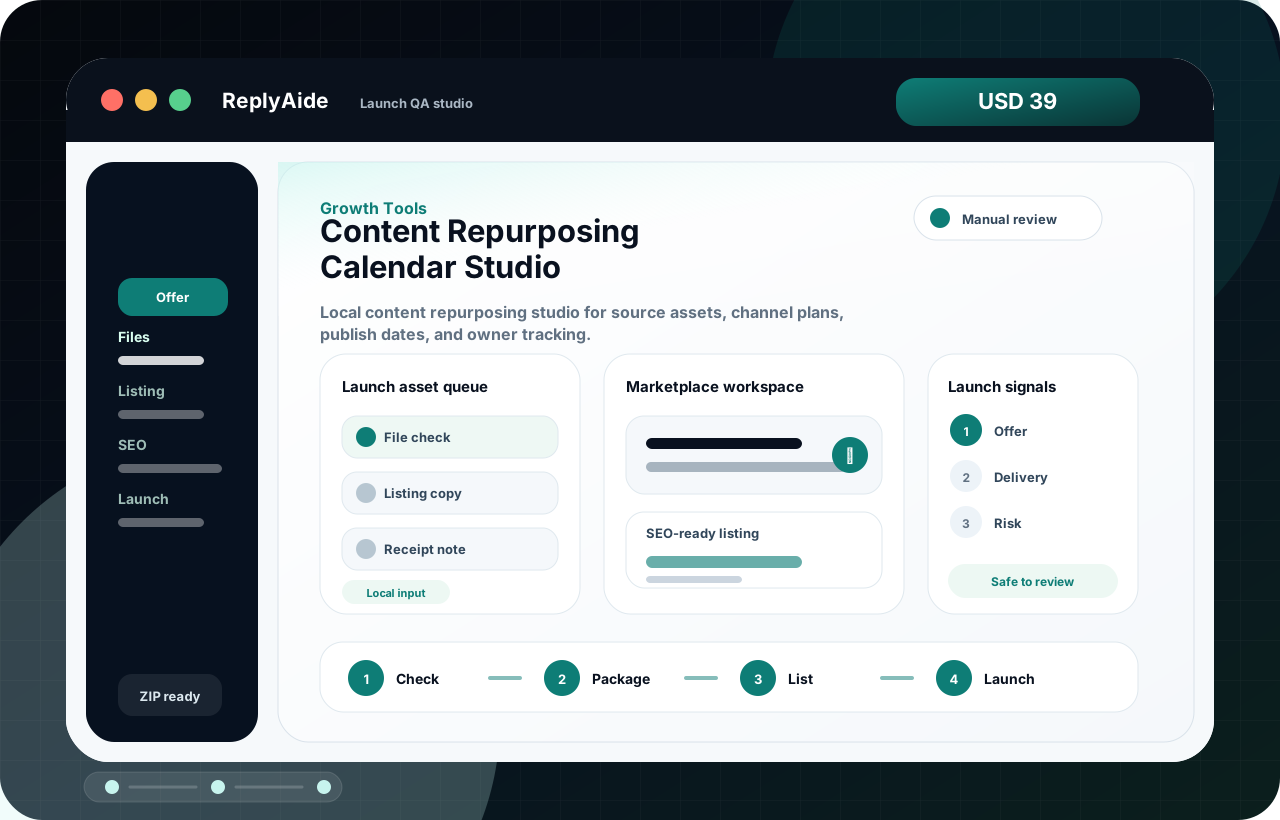
Content Repurposing Calendar Studio
Local content repurposing studio for source assets, channel plans, publish dates, and owner tracking.
ForDigital sellers improving offers, launch assets, and delivery clarity.
OpensLaunch QA studio
OutputOffer briefs, listing copy, launch queues, and delivery QA assets.
CheckPackageList
Local app
Workflow files
Manual QA
Instant downloadSecure checkout is open for instant ZIP delivery.
Open secure checkout
USD 39
 Growth Tools
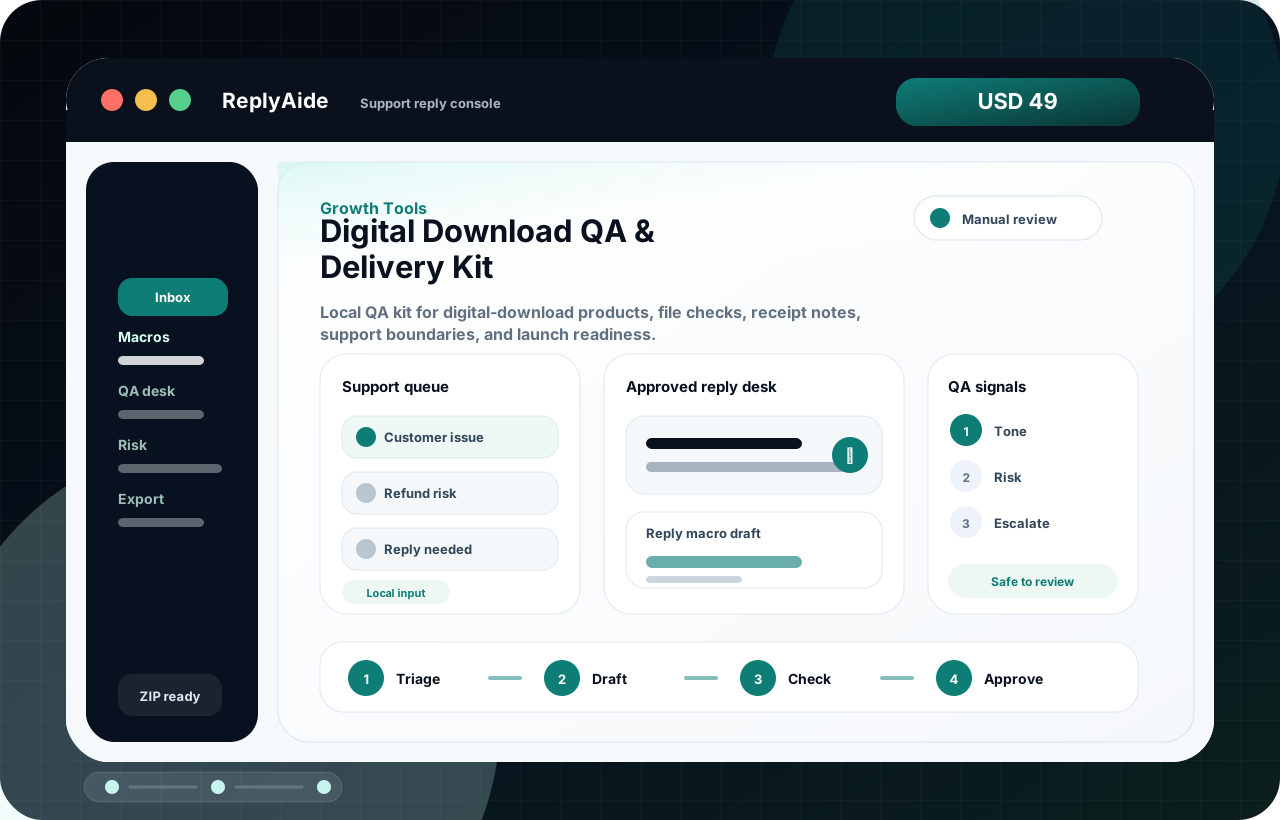
Digital Download QA & Delivery Kit
Digital Download QA & Delivery Kit helps improve offer clarity, delivery checks, buyer messaging, and launch-readiness review before promotion.
ForDigital sellers improving offers, launch assets, and delivery clarity.
OpensLaunch QA studio
OutputOffer briefs, listing copy, launch queues, and delivery QA assets.
CheckPackageList
Local app
Workflow files
Manual QA
Instant downloadSecure checkout is open for instant ZIP delivery.
Open secure checkout
USD 49
Growth Tools
Google Merchant Center Misrepresentation / Store Trust Rescue Kit
Google Merchant Center Misrepresentation / Store Trust Rescue Kit helps organize Merchant Center issue context, store-trust checks, policy-page evidence, checkout consistency, and owner review packets.
ForDigital sellers improving offers, launch assets, and delivery clarity.
OpensStore trust rescue desk
OutputOffer briefs, listing copy, launch queues, and delivery QA assets.
ClassifyAuditTicket
Local app
Workflow files
Manual QA
Instant downloadSecure checkout is open for instant ZIP delivery.
Open secure checkout
USD 79